Remove personal data before you hand your car to its next owner. Clear the information stored in the vehicle, disconnect linked accounts, and check the result. A factory reset is a starting point, but it may not cancel subscriptions or complete every account change.
For a Boston-area sale, put this task on your handover checklist alongside the keys and paperwork. You can prepare the instructions before meeting a buyer, then finish the account changes before the vehicle leaves your possession. If you prefer to start with vehicle details instead of a public listing, see how to sell your car online with a local buyer.
Selling a good-condition car? Send Boston Car Buyers your vehicle details to discuss an inspection and written offer.
Personal data checklist before your car leaves
Start with your owner’s manual. Look for the sections on privacy, connected services, and resetting the infotainment system. The FTC’s vehicle privacy guidance explains why personal data can remain accessible to the next owner.
Use this table as a list of things to check, not as a substitute for your model’s instructions.
| Where to look | What to check | Before handover |
|---|---|---|
| Phone connections | Paired devices, contacts, call history | Confirm your saved information is gone. |
| Navigation | Home, work, favorites, recent destinations | Review saved locations after the reset. |
| Owner apps | Vehicle association and remote access | Follow the provider’s removal process. |
| Paid services | Wi-Fi, satellite radio, other subscriptions | Arrange cancellation or transfer separately. |
| Garage access | Programmed buttons and loose remotes | Erase stored access and take your remote. |
Check each area once the process finishes. An empty phone list does not prove that every other type of personal data has been removed.
Factory reset and linked accounts: two separate checks
Think of the work in two parts: personal data inside the car and accounts connected to it. Complete the manufacturer’s reset procedure while you still have the vehicle. Then review the services you activated during ownership.
Selling an EV also means gathering charging equipment and noting any battery concerns. Our electric-car buying page explains the vehicle details to prepare alongside the privacy checks.
For example, Ford’s US privacy notice says deleting the Ford or Lincoln app alone does not stop vehicle data sharing. Its reset and vehicle-removal instructions depend on the equipment fitted. Vehicles with a Connectivity Device require removing the VIN from the associated account to stop account-related sharing.
That is why this guide does not give one button sequence for every car. If you are selling a Ford, check the instructions for your vehicle and its installed system. Other makes have their own procedures for personal data and ownership changes.
- Locate the correct instructions before starting.
- Read which settings and connections the reset affects.
- Complete the separate account or subscription steps that apply.
- Keep any confirmation for your own records.
If a menu is unavailable or the reset fails, contact the manufacturer or connected-service provider. Do not assume personal data disappeared because the screen restarted.
If your Tesla is still leased, resolve purchase eligibility before removing access. Our Tesla lease purchase and handover checklist separates the lessor paperwork from the later app ownership transfer.
Remove garage access and personal items before handover
A tidy cabin can still contain personal data. GM Financial’s vehicle-data checklist includes programmed garage access, stored contacts, login information, toll tags, and removable storage.
Make a separate pass through the physical car:
- Take out your garage remote, toll tag, and USB drives.
- Check the glove box, console, visors, and door pockets.
- Look under the seats and in the trunk for personal papers.
- Remove belongings that show your address or financial details.
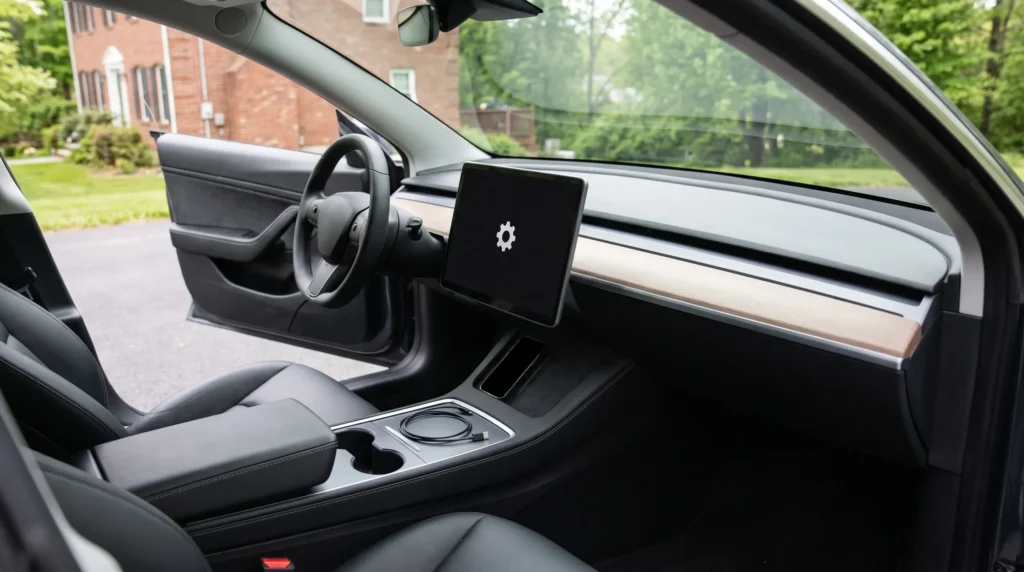
Before sending interior photos to a prospective buyer, look at what the camera captured. A navigation screen or loose letter can show personal data you did not intend to share. Move personal items out of the frame while keeping the photos honest about the car’s condition. Our safe car-selling guide covers the separate meeting and payment checks.
A toll tag also needs an account check. Our guide to removing your toll tag and updating E-ZPass MA explains what to keep, update or return before handover.
Keep sale records separate from stored car data
Removing personal data is a privacy task. It is not a reason to discard your sale documents or hide the vehicle’s condition. Put the ownership paperwork and useful maintenance records in a separate folder before clearing out the cabin.
Use our Massachusetts selling paperwork checklist for that part of the sale. Keep your own copies somewhere secure, rather than leaving your entire personal folder in the car.
Likewise, deleting personal data does not handle your registration or insurance. Follow the separate plates and registration closeout guide. Keeping these tasks separate makes it easier to see what is finished and what still needs attention.
FAQ: personal data when selling your car
Does a factory reset remove all personal data?
Do not assume it does. Check the areas listed in your manual, and handle linked accounts and subscriptions separately. The FTC specifically warns that connected services may need further action after a reset.
How do I remove personal information from my car?
Follow your model’s reset instructions, review saved contacts and destinations, disconnect owner accounts, and remove personal belongings. Verify the result before handover.
Is deleting the vehicle app enough?
No, not necessarily. Ford explicitly says uninstalling its app alone does not stop data sharing. Follow your provider’s process for removing the vehicle and ending access.
What if I forgot to clear personal data before selling?
Contact the manufacturer or service provider for the account steps available to you. Arrange any required in-car reset with the buyer. Do not access or control a vehicle you no longer own.
Selling your car in Greater Boston
Finish the personal data checklist before handing over the vehicle. Boston Car Buyers purchases good-condition cars across Greater Boston. We inspect the car, make a written offer, and pay by business check or certified bank check at handover.